API Academy
🌐 English
  • 🌐 English
  • 🌐 繁體中文
HomePetstore APIExplore more APIs
🌐 English
  • 🌐 English
  • 🌐 繁體中文
🌐 English
  • 🌐 English
  • 🌐 繁體中文
  1. Advanced API Technologies
  • Introduction
  • Table of Contents
  • API Academy
    • Get Started
      • What is an API?
      • How Does an API Work?
      • How to Call an API?
      • How to Read an API Documentation?
      • Chapter Summary
      • Get realtime weather
    • API Fundamentals
      • API Funtamentals: Overview
      • Method & Path
      • Parameters
      • Request Body
      • Responses
      • API Specification & OAS
      • Chapter Summary
    • Working with APIs
      • Working with APIs: Overview
      • Making Requests from Spec
      • Environments and Variables
      • Chaining Multiple Endpoints
      • Handling Authentication
      • Handling API Signatures
      • Introduction to Scripts
      • Chapter Summary
    • Mocking APIs
      • Mocking APIs: Overview
      • Smart Mock
      • Mock Expectations
      • Cloud Mock
      • Mock Scripts
      • Chapter Summary
    • Designing APIs
      • Designing APIs: Overview
      • Introduction to API Design
      • Creating Your First API Project
      • Analyzing Requirements and Planning Your API
      • Designing Data Models
      • Designing Endpoints
      • Using Components and Reusability
      • Setting Up Authentication
      • API Design Guidelines
      • Chapter Summary
    • Developing APIs
      • Developing APIs: Overview
      • Setup: Install Your AI Coding Assistant
      • Quick Start: From Spec to Running API in 30 Minutes
      • Understanding the Generated Code
      • Testing Your API with Apidog
      • Deployment: Put Your API Online
      • Chapter Summary
    • Testing APIs
      • Testing APIs: Overview
      • Getting Started: Your First Test Scenario
      • Integration Testing and Data Passing
      • Dynamic Values
      • Assertions and Validations
      • Flow Control: If, For, ForEach
      • Data-Driven Testing
      • Performance Testing
      • Test Reports and Analysis
      • CI/CD Integration
      • Scheduled Tasks and Automation
      • Advanced Testing Strategies
      • Chapter Summary
    • API Documentations
      • API Documentations: Overview
      • Publishing Your First API Doc
      • Customizing Documentation Appearance
      • Interactive Features for Consumers
      • Advanced Publishing Settings
      • Managing API Versions
      • Chapter Summary
    • Advanced API Technologies
      • API Technologies: Overview
      • GraphQL
      • gRPC
      • WebSocket
      • Socket.IO
      • Server-Sent Events (SSE)
      • SOAP
      • Chapter Summary
    • API Lifecycle
      • API Lifecycle: Overview
      • Stages of the API Lifecycle
      • API Governance
      • API Security Best Practices
      • Monitoring and Analytics
      • API Versioning Strategies
      • The Future of APIs
      • Chapter Summary
    • API Security
      • API Security: Overview
      • API Security Fundamentals
      • Authentication vs Authorization
      • Understanding OAuth 2.0 and OpenID Connect
      • JSON Web Tokens (JWT)
      • OWASP API Security Top 10
      • Encryption and HTTPS
      • Chapter Summary
    • API Tools
      • API Tools: Overview
      • The Evolution of API Tools
      • API Clients
      • Command Line Tools (cURL, HTTPie)
      • API Design and Documentation Tools
      • API Mocking Tools
      • API Testing Tools
      • All-in-One API Platforms
      • Chapter Summary
    • API Gateway
      • API Gateway: Overview
      • What is an API Gateway?
      • Key Features of API Gateways
      • API Gateway vs Load Balancer vs Service Mesh
      • Popular API Gateway Solutions
      • The BFF (Backend for Frontend) Pattern
      • Chapter Summary
  • Modern Pet Store
    • Pet
      • Get Pet
      • Update Pet
      • Delete Pet
      • Create Pet
      • List Pets
      • Upload Pet Image
    • User
      • Update User
      • Get User
      • Delete User
      • Login
      • Logout
      • Create User
    • Store
      • List Inventory
      • Create Order
      • Get Order
      • Delete Order
      • Callback Example
      • Pay for an Order
    • Payments
      • Pay Order
    • Chat
      • Create Chat Completion
    • Webhooks
      • Pet Adopted Event
      • New Pet Available Event
  • Schemas
    • Pet
    • Category
    • User
    • ApiResponse
    • OrderPayment
    • Tag
    • Order
    • Links-Order
    • PetCollection
    • Bank Card
    • Bank Account
    • Links
    • Error
HomePetstore APIExplore more APIs
🌐 English
  • 🌐 English
  • 🌐 繁體中文
🌐 English
  • 🌐 English
  • 🌐 繁體中文
  1. Advanced API Technologies

GraphQL

What is GraphQL?#

GraphQL is a query language for APIs and a runtime for fulfilling those queries with your existing data. It was developed by Facebook in 2012 and open-sourced in 2015.
Unlike REST, which exposes multiple endpoints for different resources (e.g., /users, /posts, /comments), GraphQL typically exposes a single endpoint (usually /graphql). Clients send a query describing exactly the data structure they need, and the server returns a JSON response matching that structure.

Core Concepts#

1.
Schema (SDL): The contract between client and server. It defines the types and relationships.
2.
Query: A read-only fetch operation (equivalent to GET).
3.
Mutation: A write operation (equivalent to POST/PUT/DELETE).
4.
Subscription: A generic long-lived connection for real-time updates.
5.
Resolver: Functions that retrieve the actual data for each field in the schema.

Code Example: The Schema#

In GraphQL, you define types in the Schema Definition Language (SDL):

Comparisons: GraphQL vs. REST#

FeatureRESTGraphQL
EndpointsMultiple (resource-based)Single (usually /graphql)
Data FetchingFixed structure (Over/Under-fetching)Client defines exact structure
Versioningv1, v2 URL prefixesEvolution via deprecation (schema-first)
CachingBuilt-in HTTP cachingRequires specialized setup (e.g. Apollo)
PerformanceLarger payloads, simple processingSmaller payloads, complex server processing

When to Use GraphQL?#

1.
Mobile Applications: Minimizes bandwidth by fetching only required fields. Solves the "waterfall" problem of chaining multiple API calls.
2.
Microservices Aggregation: A GraphQL "Gateway" can stitch together data from multiple backend microservices into a single unified API for the frontend.
3.
Rapid Iteration: Frontend teams can modify queries to get new data without waiting for backend teams to build new endpoints.

Debugging GraphQL in Apidog#

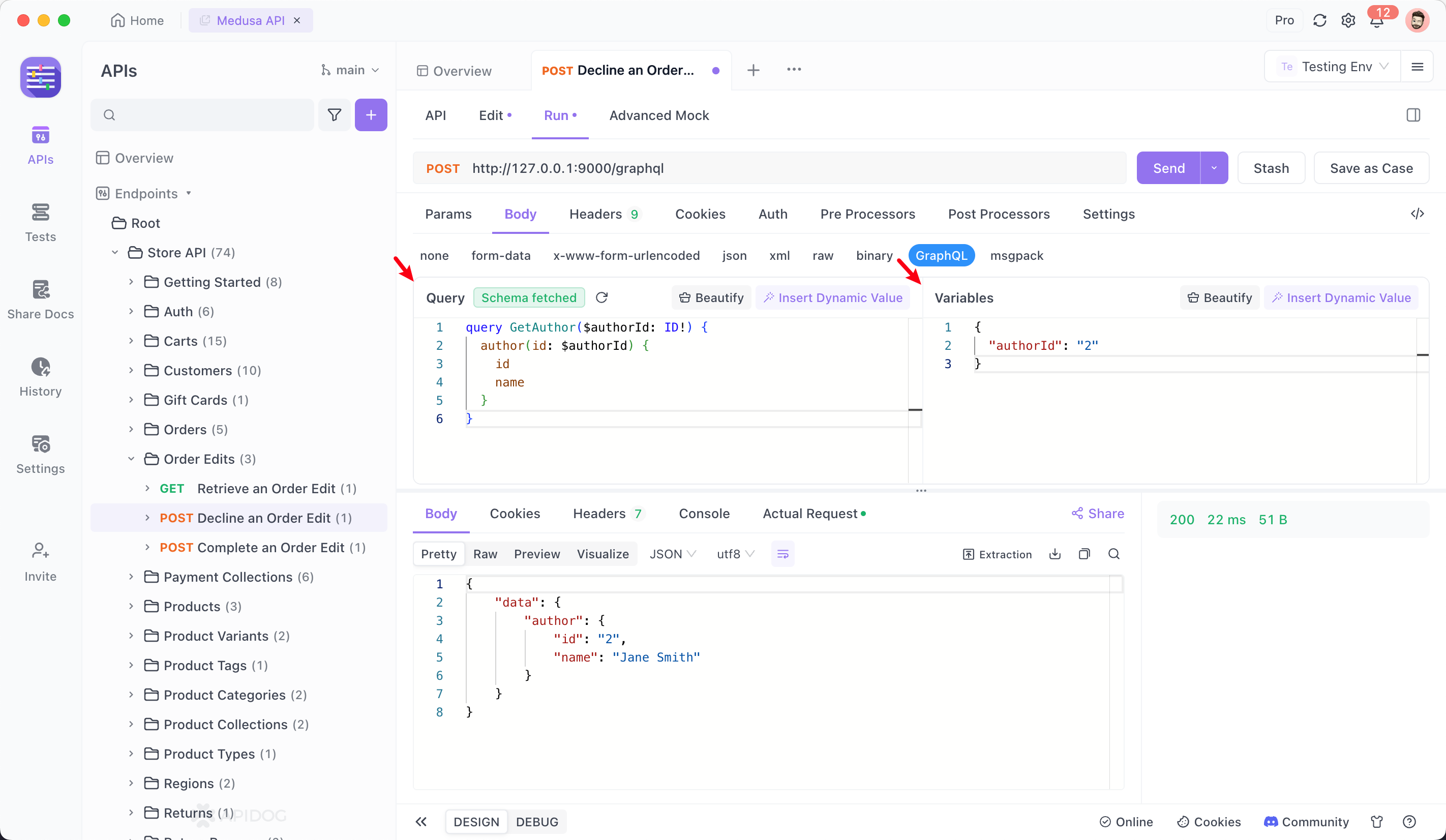
Apidog provides a first-class GraphQL client experience, including schema introspection and docs generation.

1. Creating the Request#

1.
Create a new endpoint.
2.
Set the method to POST.
3.
In the Body tab, select GraphQL.

2. Intelligent Query Editing#

Leverage Apidog's introspection capabilities:
Fetch Schema: Click Fetch Schema to download the type definitions from the server.
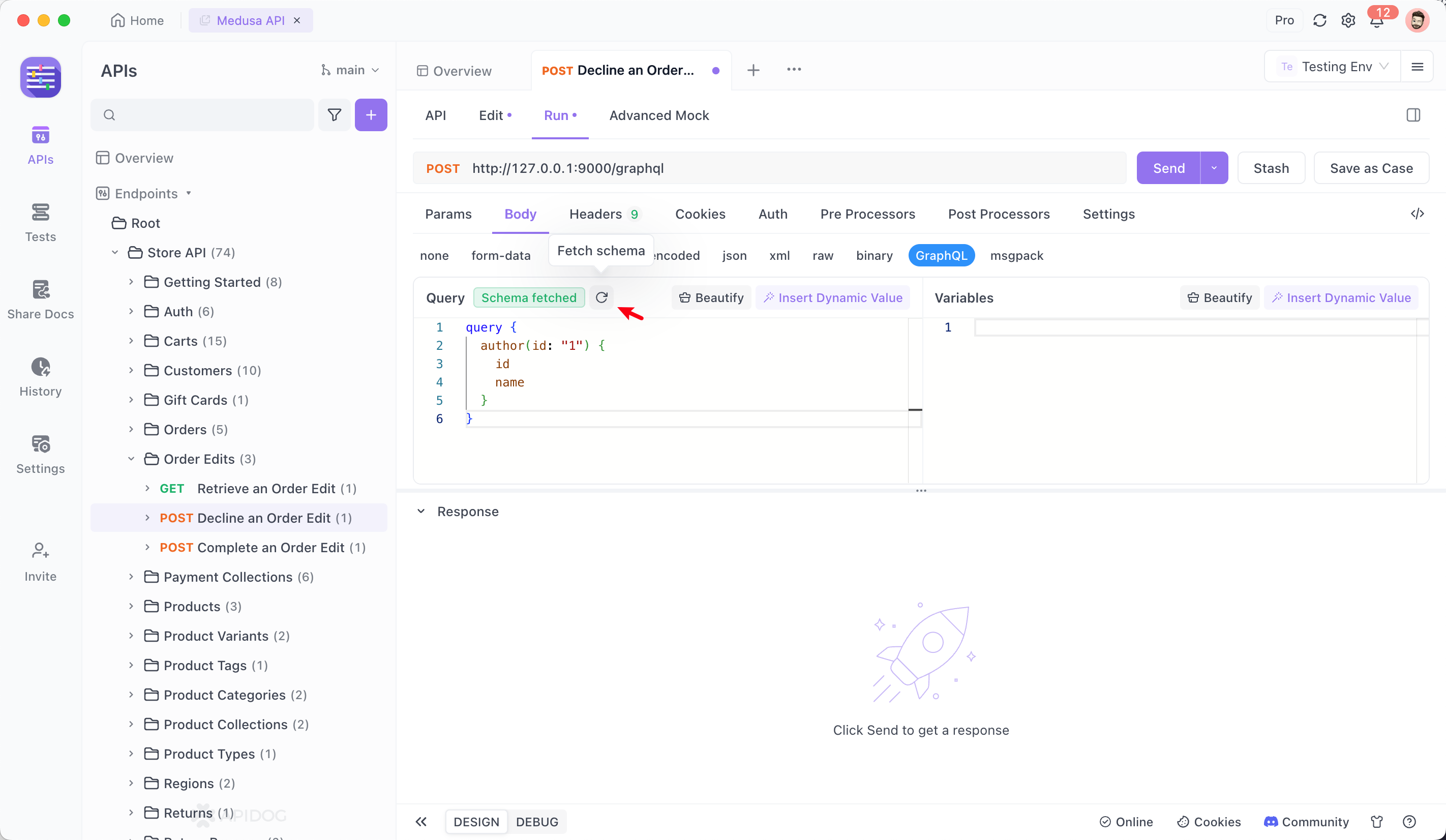
Auto-Completion: Type within the editor to see available fields, types, and arguments.
Validation: Real-time error checking against the schema schema.

3. Using Variables#

Apidog supports separating query logic from data values using Query Variables.
Query:
Variables (JSON):
{
  "id": "123"
}
See details GraphQL

Key Takeaways#

Single Endpoint: GraphQL uses a single URL (e.g., /graphql) for all data interactions.
Client-Spec: Clients define exactly what data they need, preventing over-fetching and under-fetching.
Strongly Typed: The Schema Definition Language (SDL) ensures a strict contract between client and server.
Introspection: Apidog can "read" your GraphQL schema to provide auto-completion and documentation automatically.
Continue with β†’ gRPC
Modified atΒ 2025-12-25 10:12:12
Previous
API Technologies: Overview
Next
gRPC
Built with