API Academy
🌐 English
  • 🌐 English
  • 🌐 繁體中文
HomePetstore APIExplore more APIs
🌐 English
  • 🌐 English
  • 🌐 繁體中文
🌐 English
  • 🌐 English
  • 🌐 繁體中文
  1. API Tools
  • Introduction
  • Table of Contents
  • API Academy
    • Get Started
      • What is an API?
      • How Does an API Work?
      • How to Call an API?
      • How to Read an API Documentation?
      • Chapter Summary
      • Get realtime weather
    • API Fundamentals
      • API Funtamentals: Overview
      • Method & Path
      • Parameters
      • Request Body
      • Responses
      • API Specification & OAS
      • Chapter Summary
    • Working with APIs
      • Working with APIs: Overview
      • Making Requests from Spec
      • Environments and Variables
      • Chaining Multiple Endpoints
      • Handling Authentication
      • Handling API Signatures
      • Introduction to Scripts
      • Chapter Summary
    • Mocking APIs
      • Mocking APIs: Overview
      • Smart Mock
      • Mock Expectations
      • Cloud Mock
      • Mock Scripts
      • Chapter Summary
    • Designing APIs
      • Designing APIs: Overview
      • Introduction to API Design
      • Creating Your First API Project
      • Analyzing Requirements and Planning Your API
      • Designing Data Models
      • Designing Endpoints
      • Using Components and Reusability
      • Setting Up Authentication
      • API Design Guidelines
      • Chapter Summary
    • Developing APIs
      • Developing APIs: Overview
      • Setup: Install Your AI Coding Assistant
      • Quick Start: From Spec to Running API in 30 Minutes
      • Understanding the Generated Code
      • Testing Your API with Apidog
      • Deployment: Put Your API Online
      • Chapter Summary
    • Testing APIs
      • Testing APIs: Overview
      • Getting Started: Your First Test Scenario
      • Integration Testing and Data Passing
      • Dynamic Values
      • Assertions and Validations
      • Flow Control: If, For, ForEach
      • Data-Driven Testing
      • Performance Testing
      • Test Reports and Analysis
      • CI/CD Integration
      • Scheduled Tasks and Automation
      • Advanced Testing Strategies
      • Chapter Summary
    • API Documentations
      • API Documentations: Overview
      • Publishing Your First API Doc
      • Customizing Documentation Appearance
      • Interactive Features for Consumers
      • Advanced Publishing Settings
      • Managing API Versions
      • Chapter Summary
    • Advanced API Technologies
      • API Technologies: Overview
      • GraphQL
      • gRPC
      • WebSocket
      • Socket.IO
      • Server-Sent Events (SSE)
      • SOAP
      • Chapter Summary
    • API Lifecycle
      • API Lifecycle: Overview
      • Stages of the API Lifecycle
      • API Governance
      • API Security Best Practices
      • Monitoring and Analytics
      • API Versioning Strategies
      • The Future of APIs
      • Chapter Summary
    • API Security
      • API Security: Overview
      • API Security Fundamentals
      • Authentication vs Authorization
      • Understanding OAuth 2.0 and OpenID Connect
      • JSON Web Tokens (JWT)
      • OWASP API Security Top 10
      • Encryption and HTTPS
      • Chapter Summary
    • API Tools
      • API Tools: Overview
      • The Evolution of API Tools
      • API Clients
      • Command Line Tools (cURL, HTTPie)
      • API Design and Documentation Tools
      • API Mocking Tools
      • API Testing Tools
      • All-in-One API Platforms
      • Chapter Summary
    • API Gateway
      • API Gateway: Overview
      • What is an API Gateway?
      • Key Features of API Gateways
      • API Gateway vs Load Balancer vs Service Mesh
      • Popular API Gateway Solutions
      • The BFF (Backend for Frontend) Pattern
      • Chapter Summary
  • Modern Pet Store
    • Pet
      • Get Pet
      • Update Pet
      • Delete Pet
      • Create Pet
      • List Pets
      • Upload Pet Image
    • User
      • Update User
      • Get User
      • Delete User
      • Login
      • Logout
      • Create User
    • Store
      • List Inventory
      • Create Order
      • Get Order
      • Delete Order
      • Callback Example
      • Pay for an Order
    • Payments
      • Pay Order
    • Chat
      • Create Chat Completion
    • Webhooks
      • Pet Adopted Event
      • New Pet Available Event
  • Schemas
    • Pet
    • Category
    • User
    • ApiResponse
    • OrderPayment
    • Tag
    • Order
    • Links-Order
    • PetCollection
    • Bank Card
    • Bank Account
    • Links
    • Error
HomePetstore APIExplore more APIs
🌐 English
  • 🌐 English
  • 🌐 繁體中文
🌐 English
  • 🌐 English
  • 🌐 繁體中文
  1. API Tools

API Clients

An API Client is a software application that allows developers to create, save, and send HTTP requests to an API and view the response. It is the workbench of the API developer.
We can categorize these clients into three generations:
1.
Integrated Platforms: Cloud-connected powerhouses (Postman, Apidog, Hopscotch).
2.
Local-First / Lightweight: Fast, offline tools focused on privacy (Bruno, Yaak, Insomnia).
3.
IDE Extensions: Built directly into VS Code (Thunder Client).

1. Integrated Platforms#

Tools that do more than just send requestsβ€”they handle Mocking, Testing, and Documentation.

Apidog#

Official Website: https://apidog.com/
Screenshot:
Apidog Interface
Apidog's unifying interface: Design (Specs), Debug (Run), and Testing in one window.
The All-in-One: Apidog markets itself as Postman + Swagger + Mock + JMeter.
Best For: Teams who want to stop manually syncing their docs and mocks with their code.
Key Feature: Design-First Workflow. You define the API structure, and it automatically generates the documentation and mock server for you.
Pricing: Generous Free Tier (unlimited team members), Pro plan for advanced governance.

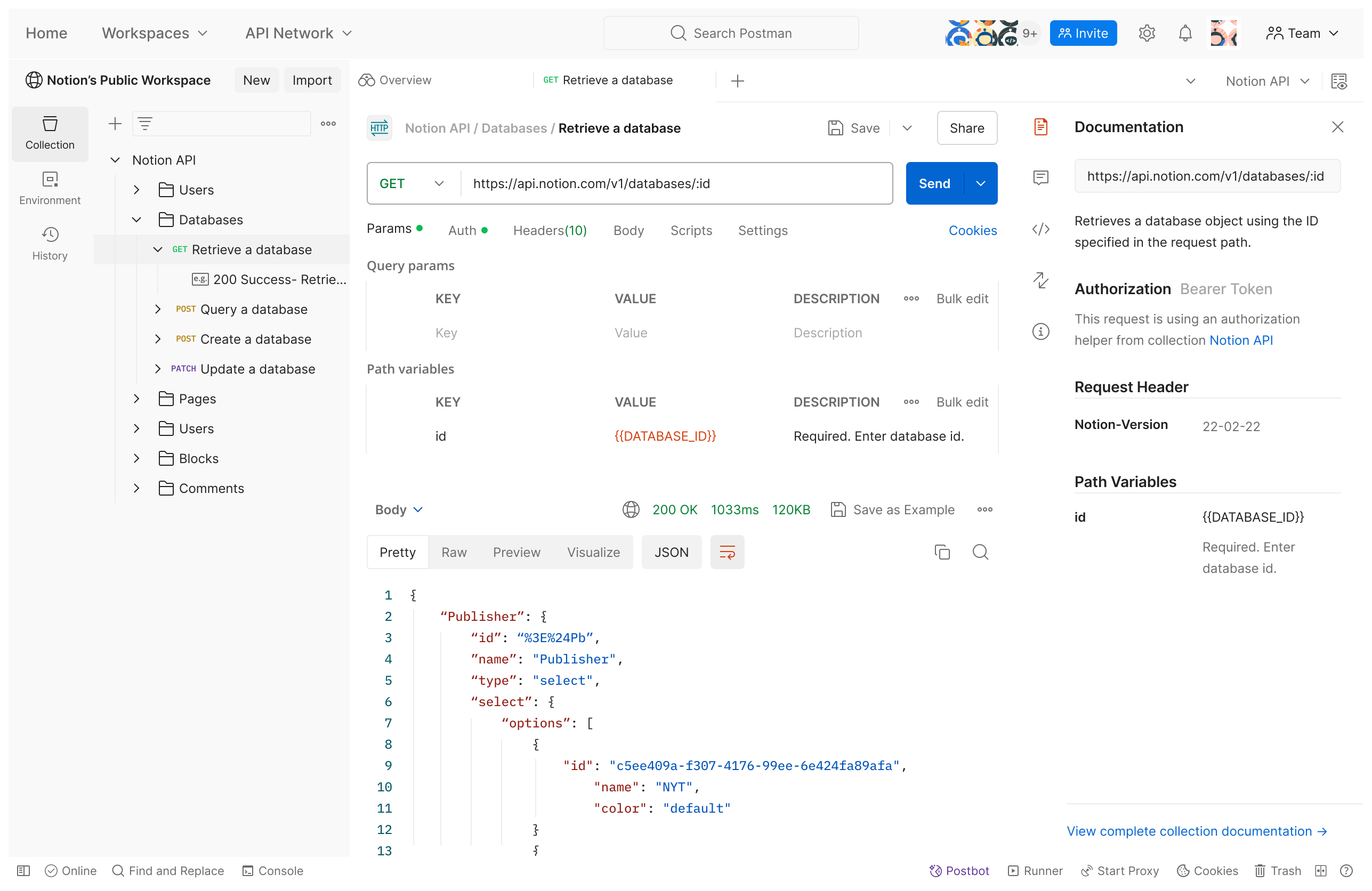
Postman#

Official Website: https://www.postman.com/
Screenshot:
Postman Interface
The Industry Standard: The most famous tool with a massive community.
Key Feature: Postbot (AI) that helps generate tests and fix errors.
Cons: Has become "heavy" and slow over the years. Recent changes to remove "Offline Scratchpad" forced users into the cloud, sparking privacy concerns.

Hopscotch#

Official Website: https://hopscotch.io/
Screenshot:
Hopscotch Interface
Hopscotch's lightweight, browser-based interface.
Open Source Postman: Originally "Postwoman", it runs entirely in the browser (PWA).
Key Feature: Lightweight. It loads instantly and doesn't require a heavy desktop install.
Cons: Web-based CORS issues can sometimes be tricky without their browser extension.

2. Local-First & Lightweight Clients#

These tools emerged as a reaction to Postman becoming too "cloud-heavy". They focus on Speed, Privacy, and Git Integration.

Bruno#

Official Website: https://www.usebruno.com/
Screenshot:
Bruno Interface
Bruno stores collections as plain files, visible in the sidebar.
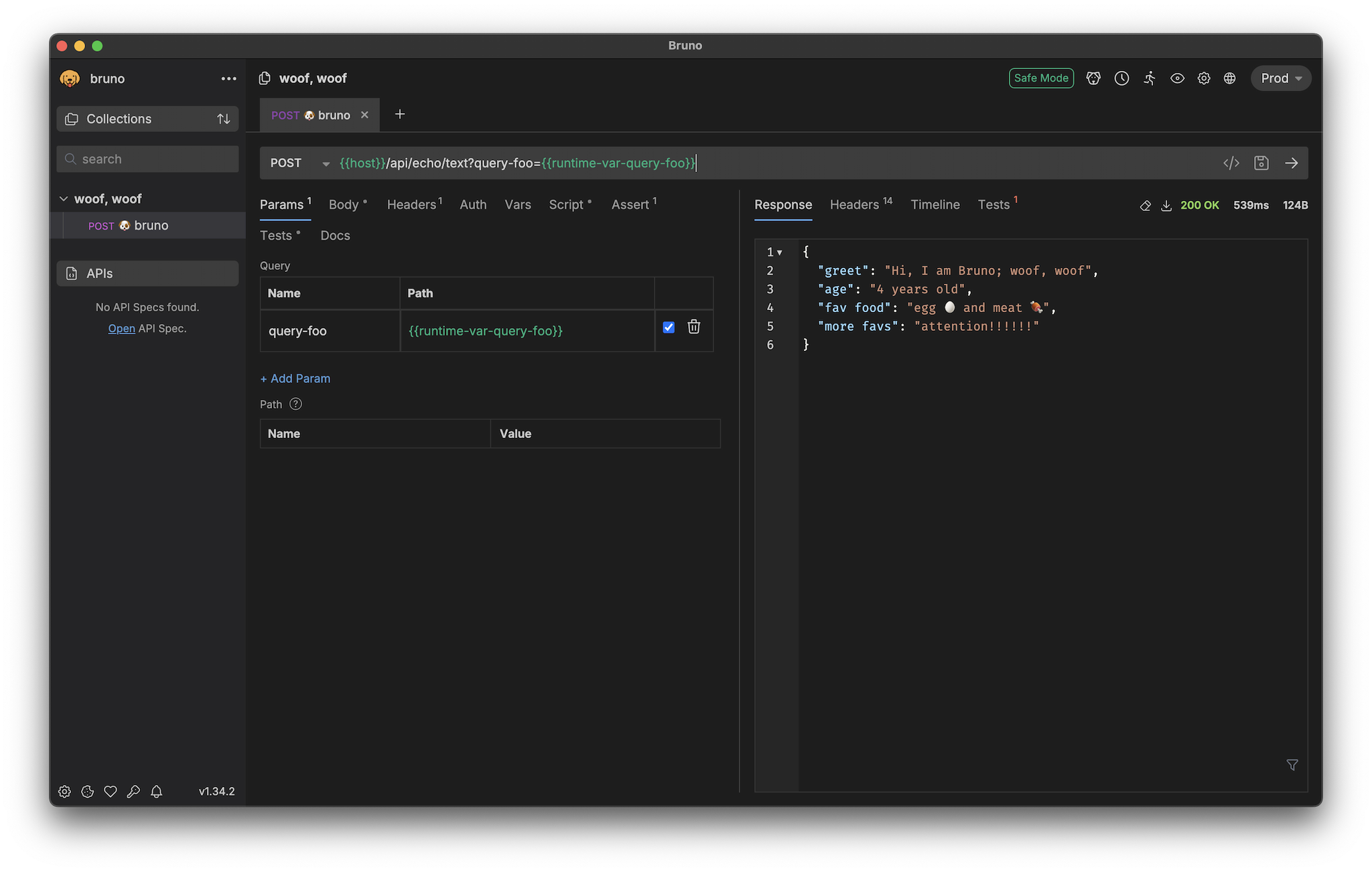
The "Git-Native" Revolution: Bruno stores your collections as plain text files (.bru) directly in your project folder alongside your source code.
No Cloud Sync: You sync via git push / git pull. No third-party servers holding your secrets.
Pricing: Completely Open Source (MIT). Golden Edition for advanced support.

Yaak#

Official Website: https://yaak.app/
Screenshot:
Yaak Interface
Yaak's clean, Rust-powered interface.
The Beautiful Minimalist: Built in Rust/Tauri. It is incredibly fast (launch time < 1s).
Key Feature: gRPC & GraphQL are first-class citizens, not afterthoughts.
Philosophy: "Privacy First". No telemetry, no accounts.

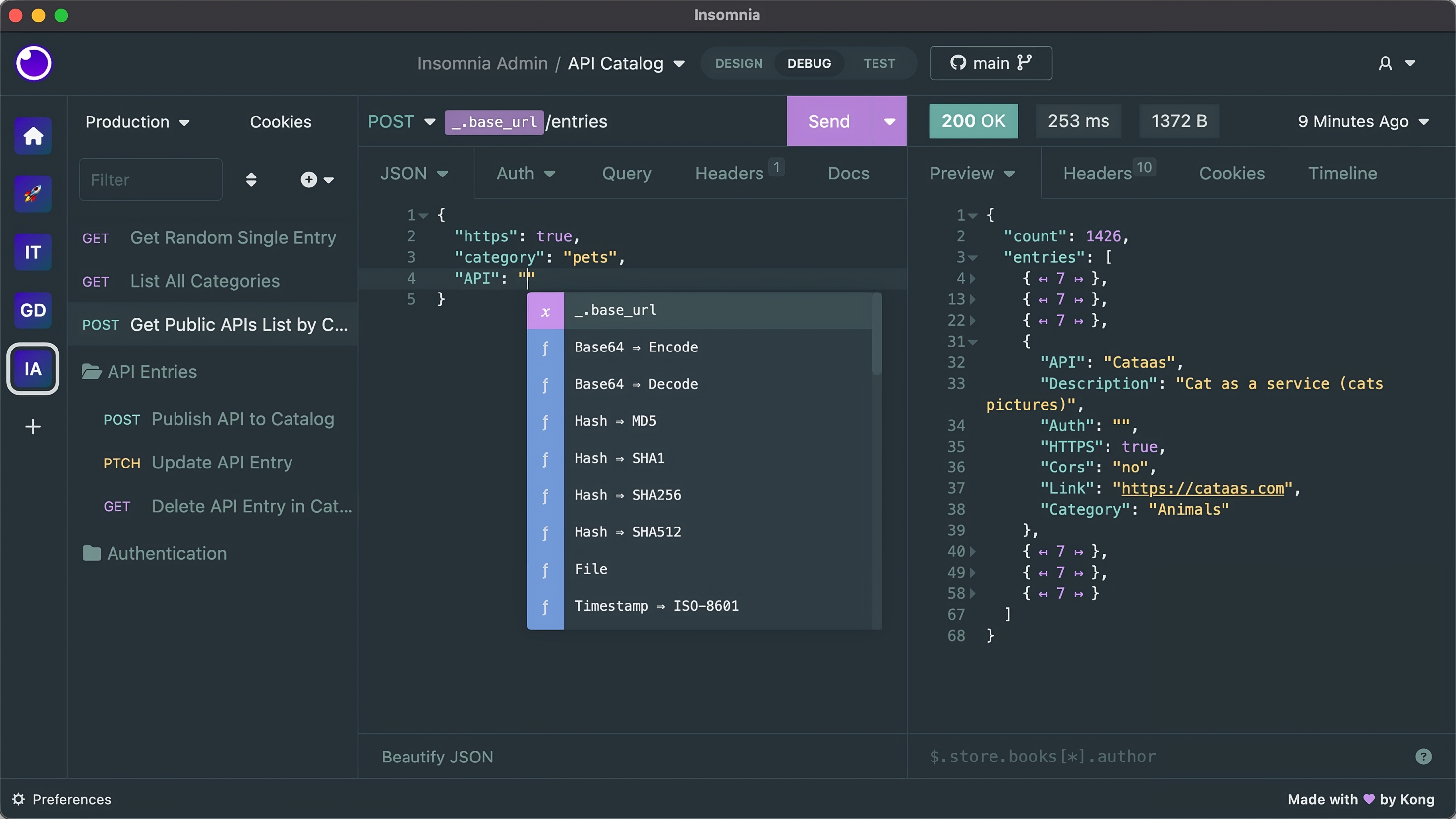
Insomnia#

Official Website: https://insomnia.rest/
The Classic Alternative: Now owned by Kong.
Key Feature: Kong Gateway Integration. If you use Kong, Insomnia allows you to deploy routes directly.
Note: Like Postman, Insomnia largely pivoted to the cloud in version 8.0, though they re-introduced some local capabilities after community feedback.
Insomnia interface

3. IDE Extensions#

Thunder Client#

Link: VS Code Marketplace
Screenshot:
Thunder Client in VS Code
Thunder Client running directly inside a VS Code tab.
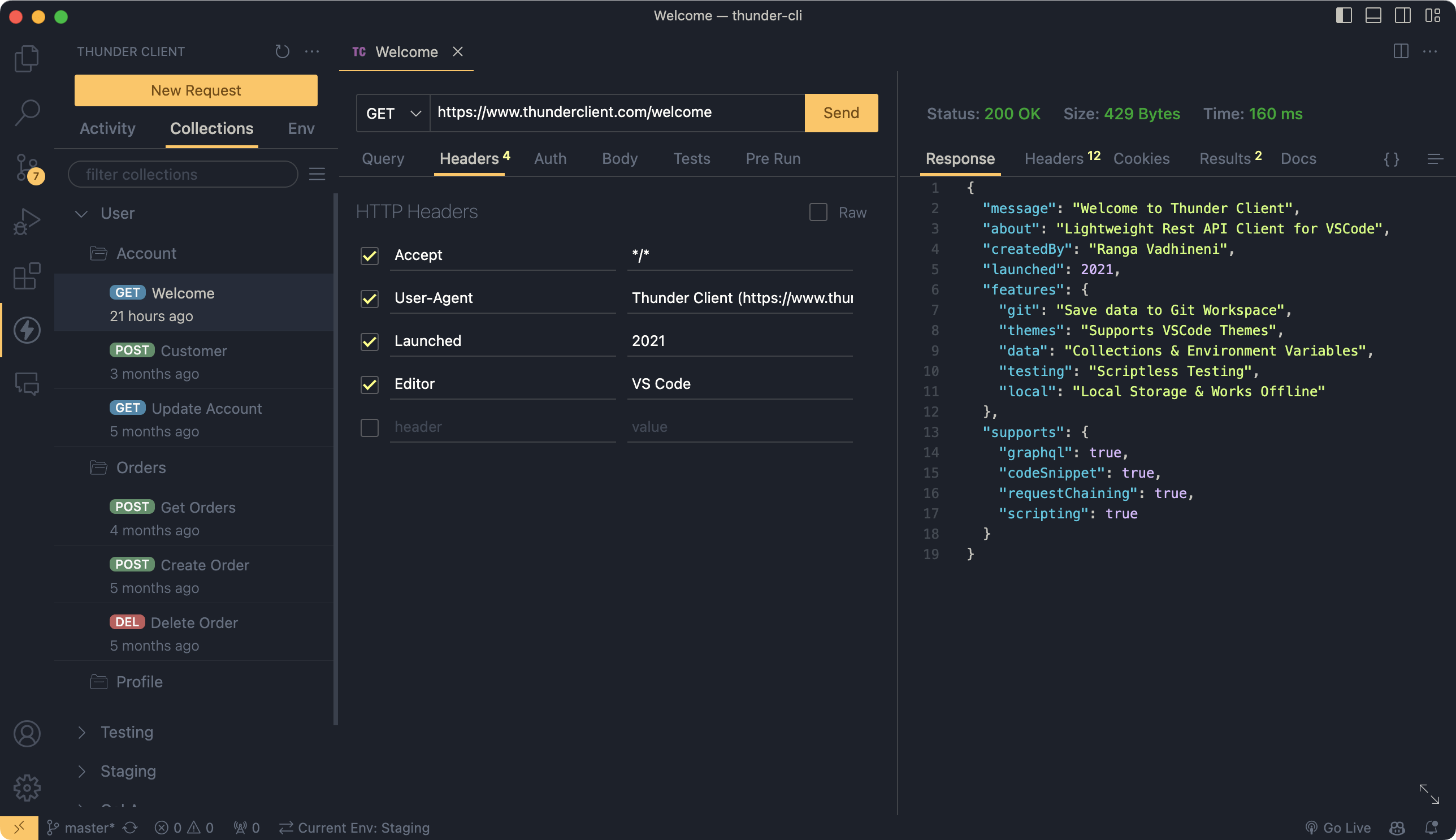
The Convenience King: A full GUI client inside VS Code.
Best For: Solo devs who hate Alt-Tab switching.

Comprehensive Comparison#

ToolTypeKey StrengthBest ForRating
ApidogPlatformDesign + Mock + TestFull Lifecycle Teams⭐⭐⭐⭐⭐
BrunoLocalGit / File-BasedPrivacy / DevOps⭐⭐⭐⭐⭐
PostmanPlatformMassive EcosystemEnterprise QA⭐⭐⭐⭐
YaakLocalSpeed (Rust)Minimalists⭐⭐⭐⭐
HopscotchWebBrowser-BasedQuick Web Testing⭐⭐⭐⭐
InsomniaLocal/CloudKong IntegrationGateway Users⭐⭐⭐
Thunder ClientExtensionContext SwitchingVS Code Users⭐⭐⭐

Recommendation#

For Teams: Use Apidog to unify your Design, Docs, and Testing in one place.
For Hackers/DevOps: Use Bruno. Storing API requests in your Git repo is a game changer for CI/CD and versioning.
For Speed: Use Yaak or Thunder Client for quick, one-off checks.

Key Takeaways#

Integrated Platforms (Apidog, Postman) are best for teams needing full lifecycle management.
Local-First Clients (Bruno, Yaak) are gaining popularity for their speed and privacy.
IDE Extensions keep you in the flow but lack advanced features.
Next Step: Sometimes you don't need a UI at all. Let's master the command line in Command Line Tools (cURL, HTTPie).
Modified atΒ 2025-12-29 10:42:25
Previous
The Evolution of API Tools
Next
Command Line Tools (cURL, HTTPie)
Built with